Wsla v1.74 Is Here: Admin Tools, Theme Sharing, Smarter Profiles, Short Links & Paid Plans
We're thrilled to announce the release of Wsla Version 1.74, one of our most feature-packed updates to date. From new link management tools and admin collaboration to expanded language support and enhanced customization, this version is all about giving you more control, speed, and flexibility. And best of all? Many of the biggest updates are completely free. Let’s dive into what’s new, why it matters, and what’s coming next.

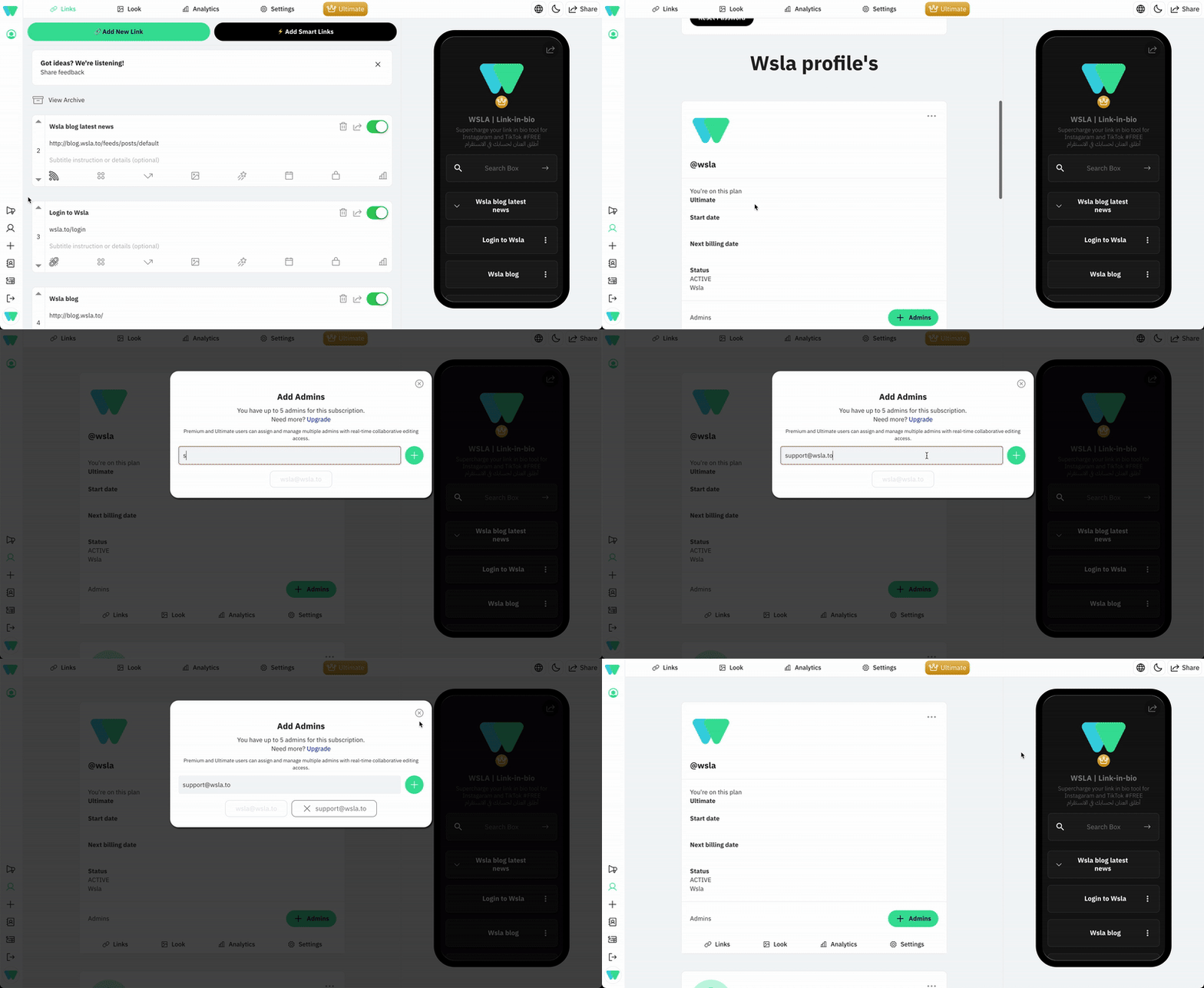
Add Admins from the Admin Panel (Beta)
You can now invite collaborators to your Wsla profile directly from the admin panel. During the beta, this feature is available to paid users for feedback.
- Go to Admin > Account > Add Admins
- Enter the collaborator's email
- Click the plus (+) icon to send the invite
Note: you cannot remove yourself from your own profile. If your plan is canceled or expired, any assigned admins will be removed automatically and will need to be re-added once your plan resumes.
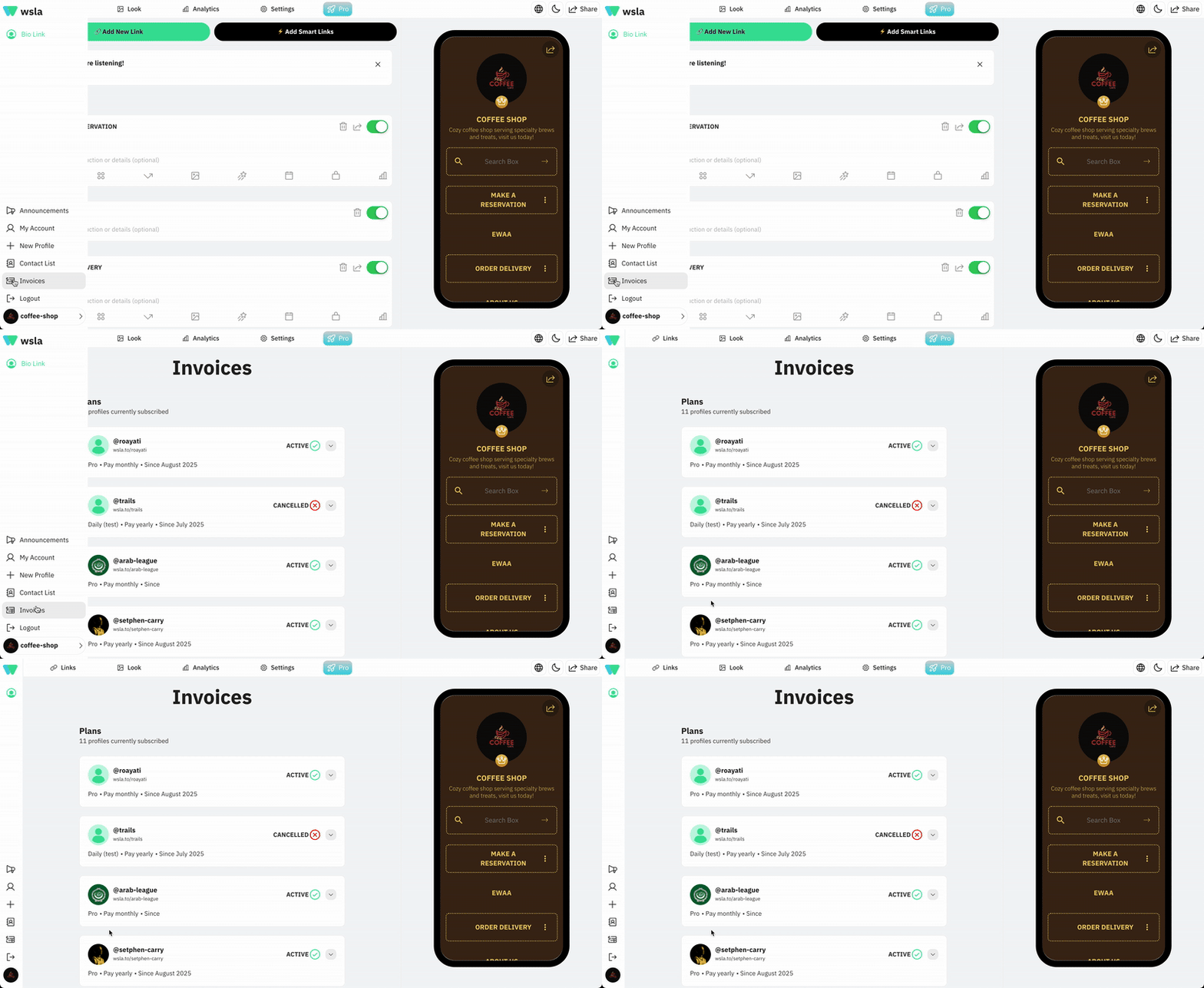
Invoices Now Available in Admin Panel (Beta)
Managing your payments just got easier. Head to Admin > Invoices to view your billing history, see upcoming payments, and download invoices.
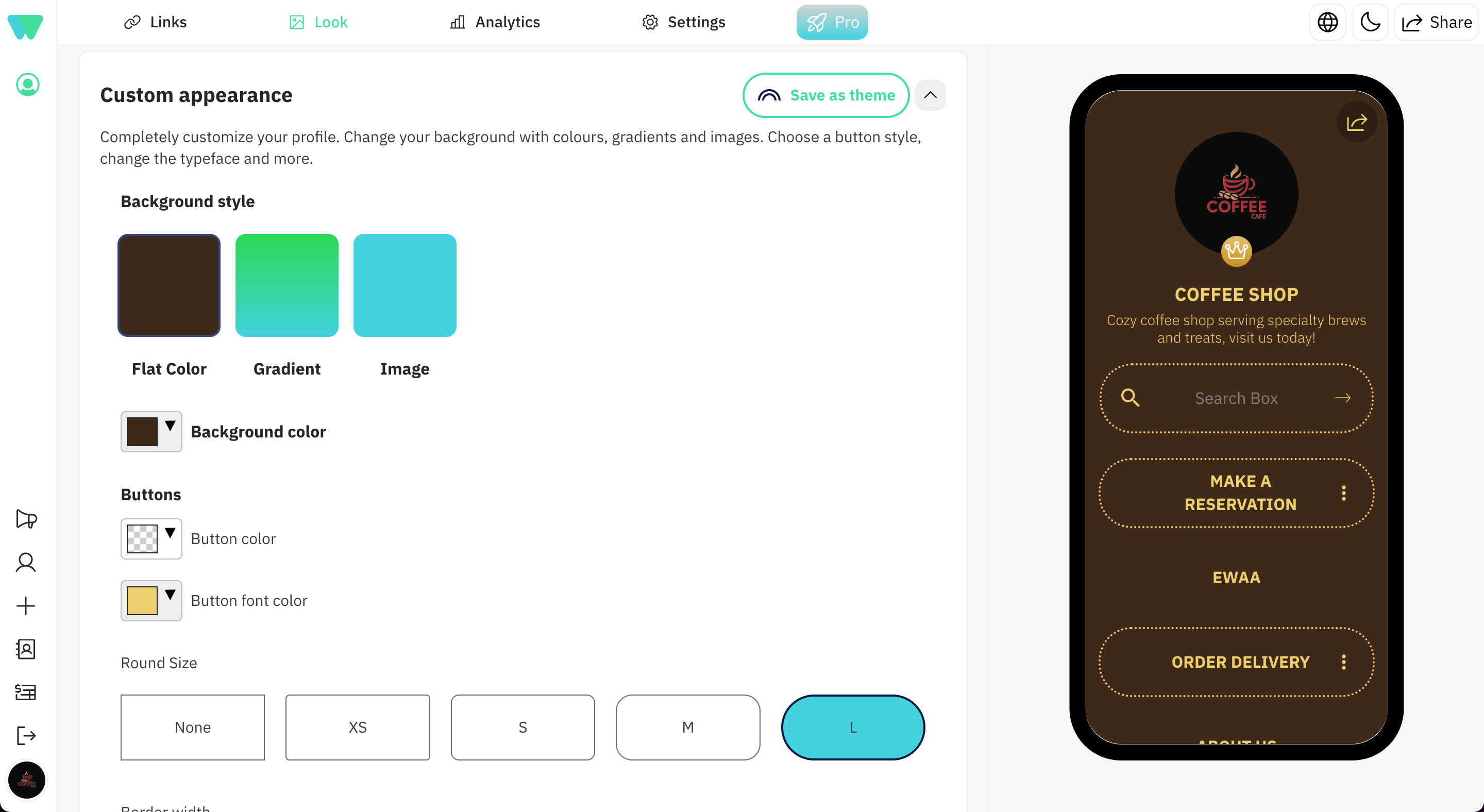
Theme Sharing (Beta): Save Privately or Share with the Community
You can now save your themes privately for your use or share them publicly with the Wsla community. It’s a great way to build consistency across your profiles or inspire others with your design.
- Saved themes appear under Admin > Themes > Custom Appearance
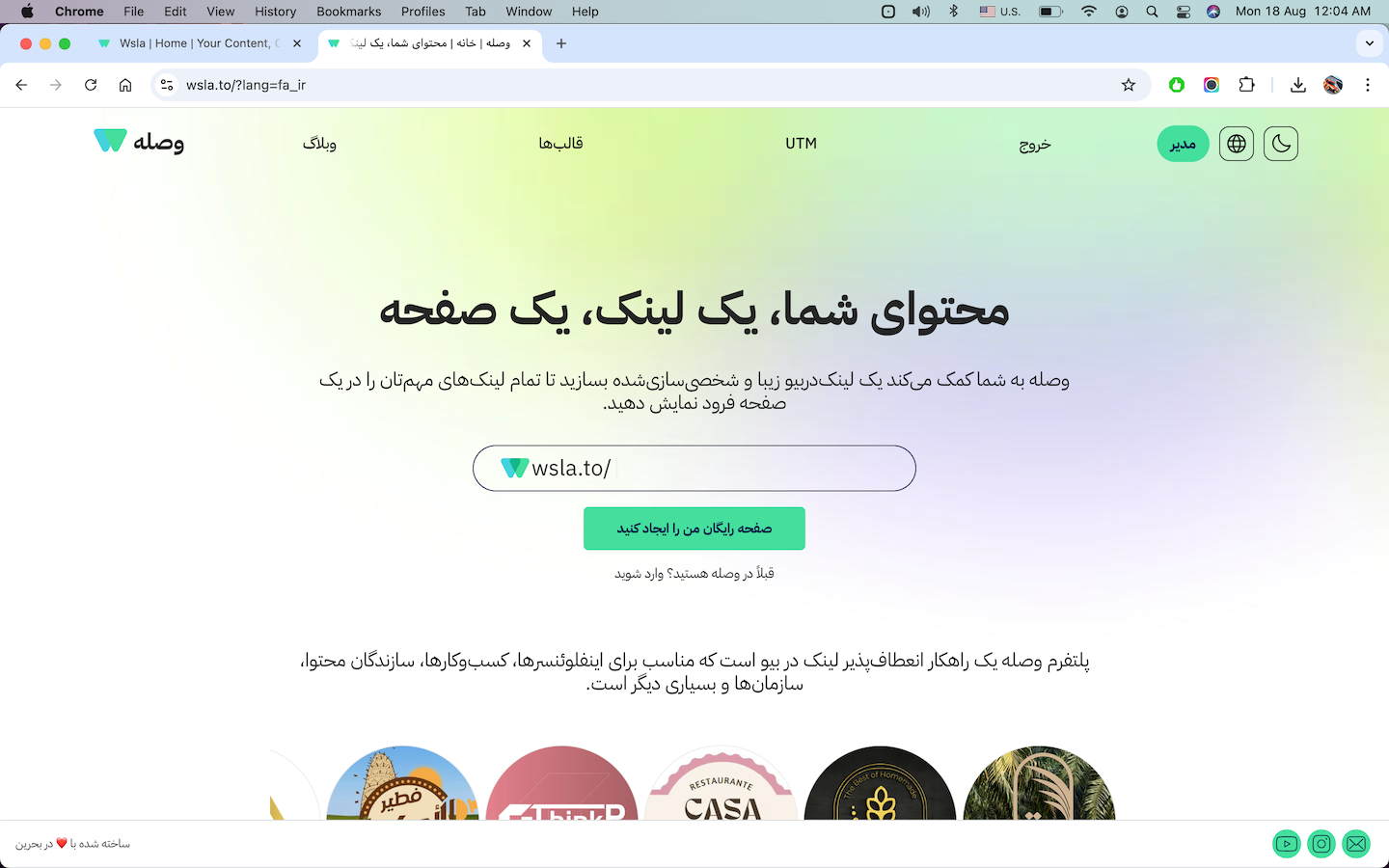
Farsi Language Support (Beta)
We’re proud to introduce full Farsi (fa_ir) support! Wsla is now even more accessible to our Persian-speaking users.
- To activate: add ?lang=fa_ir to any Wsla URL
- Example: https://wsla.to?lang=fa_ir
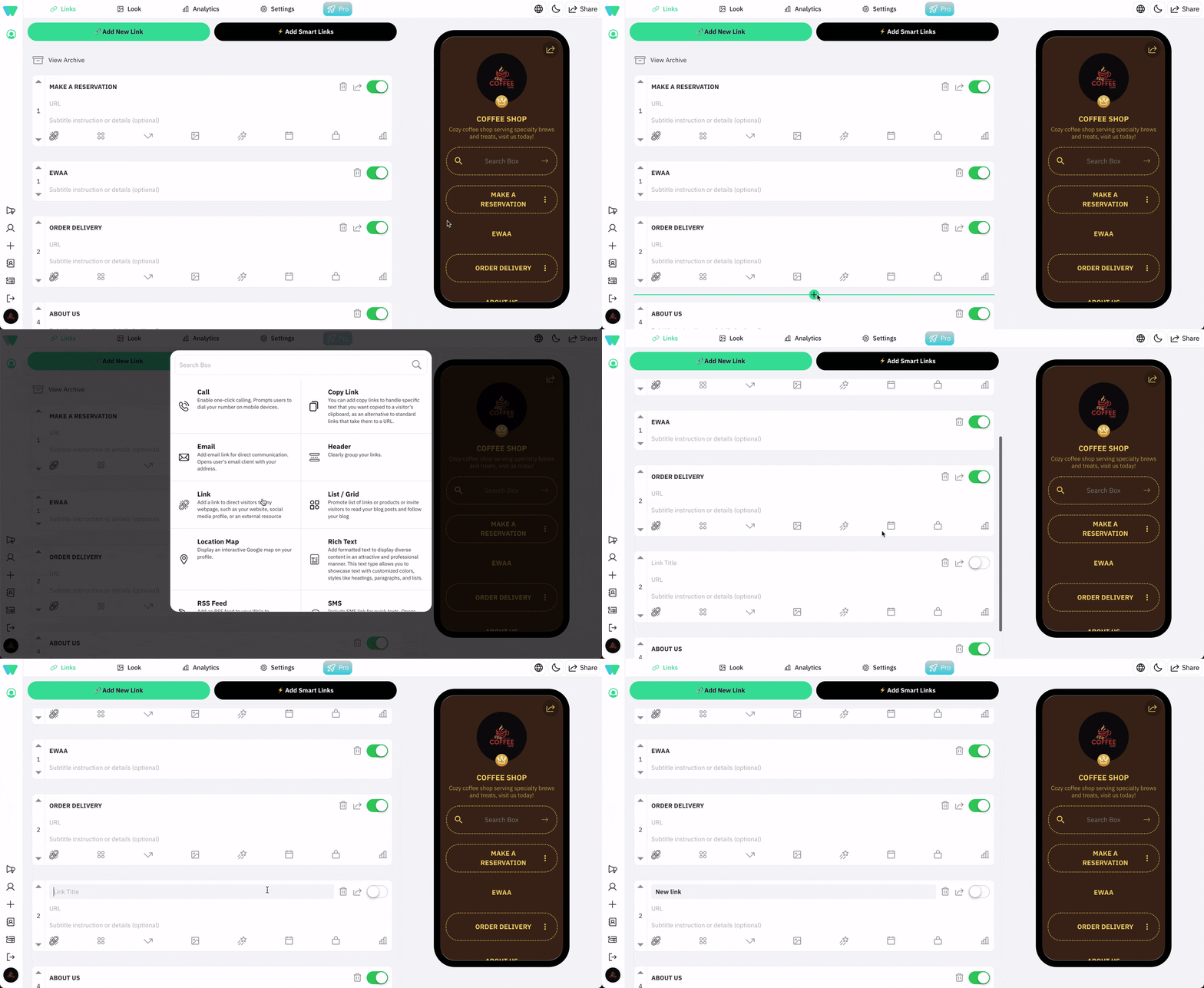
New Link Point-and-Place Tool
Want to insert a link between two existing ones? Now you can.
Here’s how it works:
1- Go to Admin > Links
2- Hover between any two links
3- A plus (+) icon will appear
4 - Click it, and a popup will show all available link types
5- Choose a type, and it will be added automatically in that position
This makes link reordering and content structure easier than ever.
Wsla Short Links: Create and Customize URLs
You can now generate short, branded URLs for any of your profile links. These can be shared as standalone links or tied back to your Wsla profile.
- Go to Admin > Links > Share > Customize Link
- Customize the slug and preview the short URL
Link Lock Protection: Code or Age Restriction
Control who can view certain links with password or age restrictions.
- Go to Admin > Links > Share > Protected Link
- Add a passcode or minimum age
Sidebar Redesign for Smoother Navigation
We’ve given the sidebar a fresh, better redesign that makes navigation cleaner and more intuitive. It’s also optimized for speed and mobile responsiveness, setting the stage for new modules coming soon.
Enhanced Themes Browser + Font Auto-Apply
Themes are now smarter:
- When you apply a theme, its font is applied automatically
- The new Themes Browser makes it easier to preview and switch themes
New Social Icon: Roblox
We’ve added Roblox to the list of supported social icons. If you’re a gamer or creator on Roblox, link your profile and grow your audience.
Fix: Resolved Contact Visibility Issue
Some users reported that not all contacts were displaying properly. That bug has now been fixed. Your full contact list is now reliably available.
Paid Features & Plan-Based Enhancements
While most features in v1.74 are free, we’re also introducing new tools designed for power users, teams, and creators who need more flexibility and customization. These are part of our Pro, Premium, and Ultimate plans.
Save and Apply Custom Themes (Paid Feature)
- Free Plan: Apply public themes
- Pro Plan: Save and reuse your own custom themes
- Premium/Ultimate: Advanced theme options and full design reuse
Team Admin Controls (Premium & Ultimate Plans)
Collaboration just got easier. With Premium or Ultimate, you can invite multiple admins to help manage your profile.- Premium: Add up to 3 admins
- Ultimate: Add up to 5 admins
Edit Contact Names & Add Contacts Manually
Perfect for newsletters or lead capture, you can now:- Edit contact names for personalization
- Manually add contacts who reached out offline or via other platforms
Google Analytics & Meta Pixel Integration
Gain powerful insights into your traffic by connecting your Wsla profile to:- Google Analytics (via Measurement ID)
- Meta Pixel (Facebook/Instagram tracking)
QR Code Customization (Premium & Ultimate)
You can now customize:- Dot styles: square, dots, rounded, etc.
- Corner styles: classy, rounded, extra-rounded, and more
QR Improvements: Higher Quality + EPS Format
- QR code exports are now 2x higher resolution
- Added EPS format for designers and print
New Payment Options: PayPal & BenefitPay (Bahrain)
Pay for any Wsla plan using:- PayPal (Global)
- BenefitPay (for users in Bahrain)
On this page
Keep reading
Get the Wsla newsletter
One short email, every Friday. Product updates, creator stories, and growth playbooks.